

I Built an AI That Sends Follow-Up Emails So I Never Have to Think About It Again
The follow-up email is one of the most important things in any sales or outreach workflow and also one of the easiest to forget. You send the initial message, the day moves on, and before you know it a week has passed and whatever momentum existed in that conversation has quietly died. The deal doesn’t fall apart dramatically. It just fades.
I run outreach across multiple pipelines at a website brokerage. Sellers, buyers, leads at various stages of the funnel, all of them need different levels of attention and none of them are going to chase you if you go quiet. After one too many threads left to go cold, I decided to build something to handle it. We called it Follow-Up Felix.
What Felix Actually Does
Felix is a Google Apps Script that runs inside Gmail on a timer. The premise is simple: you label an outbound thread, snooze it, and Felix takes over from there. When Gmail’s snooze brings the thread back into your inbox, Felix checks whether the recipient has replied. If they haven’t and you were the last person to send a message, Felix calls the Claude API, generates a contextually aware follow-up, and sends it as a properly threaded reply. No new thread. No template that reads like a template. Just a short, warm message that picks up where the conversation left off.
Four days after the first follow-up, if there’s still no response, Felix sends one final short nudge and then stands down entirely. Two attempts, then it moves on because anything beyond that stops being a follow-up and starts being harassment.
The whole system costs essentially nothing to run. Google Apps Script is free. The AI API calls come to a few cents per email at most. There is no server, no subscription, no third-party dashboard sitting between you and your Gmail.
Why Not Just Use Streak or Mixmax
Tools like Streak, Mixmax, and Boomerang exist and they do solve part of this problem. However, they come with costs, literal subscription costs and also the cognitive overhead of yet another layer on top of your inbox. More importantly, they are generic. They don’t know the context of your threads. Their follow-ups are templates, and recipients can tell.
What I wanted was something that read the actual conversation, understood the subject and tone, and wrote a follow-up that felt like it came from a person who had been paying attention. That’s fundamentally an AI task, not a scheduling task. Hence building something custom rather than subscribing to something off the shelf.
The Architecture
Felix runs on three components: Gmail labels, a time-based trigger, and the AI API.
The labels track state across two follow-up stages. You create three of them in Gmail: -Snoozed-AI-FollowUp (which you apply manually to trigger Felix), FollowedUp-1 (applied automatically after the first follow-up), and FollowedUp-2 (applied after the final follow-up, at which point Felix clears everything and stops watching the thread). The leading dash on the first label is purely cosmetic — it sorts to the top of the label list.

The trigger fires every few hours. When it runs, Felix pulls two thread pools: anything with the watch label that’s back in the inbox, and anything already tagged FollowedUp-1 that hasn’t yet received a FollowedUp-2. Pulling both pools ensures Felix doesn’t miss second-stage threads that got archived between runs.
The decision logic runs on each thread before anything gets sent. Felix first finds the index of your last outbound message, then checks whether any external sender has replied after it. If they have, Felix clears all its labels and moves on, no follow-up because a response already happened. If you weren’t the last sender, Felix skips the thread. If both follow-ups have already been sent, it skips. Only after passing all those checks does Felix proceed to generate and send a message.
The first follow-up requires the thread to be back in your inbox, meaning the Gmail snooze must have woken it. The second follow-up waits 96 hours after the first before firing, using a timestamp stored in Apps Script’s PropertiesService. If that timestamp is somehow missing, Felix falls back to scanning the thread for its own signature to estimate when F1 went out.
The AI Side
The prompt is where the personality lives. Felix is instructed to write 2–4 sentences for the first follow-up and 1–2 for the second. It uses “we” rather than “I” when referencing prior communication. It never says “just circling back” or “per my last email.” It doesn’t assume the recipient’s role or decision-making authority, and it doesn’t apologise for following up.
Before generating the message, Felix also tries to extract the recipient’s first name from the thread, checking sign-off blocks in their messages (“Thanks, James”), greetings in your own outbound emails (“Hi Sarah,”), or their display name in the From header. There is a sanitiser function that rejects obvious false positives: words like “Team” or “On” or “Info” that pattern-match but aren’t names. If no clean name is found, Felix defaults to “Hi there,” which is neutral and safe.
The system now supports multiple AI providers — Claude, OpenAI, DeepSeek, and Gemini. You set your provider and model in the config file, add your API key to Script Properties, and the rest of the system is unaffected. The provider-specific code is isolated in a single file so swapping is straightforward.
What Was Hard to Build
The interesting parts of this project were the edge cases, not the happy path.
Name extraction turned out to be genuinely difficult. Email threads contain quoted history, automated signatures, legal footers, and forwarded headers, all of which are full of words that superficially look like names but aren’t. The sanitiser went through several iterations before it was reliable: blocklisting common false positives, rejecting strings that contain digits or are too short, ignoring role-based email prefixes like info@ and sales@, and stripping quoted history before running any regex against the body.
Quoted history itself was a separate problem. Without stripping it, the context passed to the AI included entire chains of older messages — which confused the model and inflated token counts. The stripQuotedHistory() function handles Gmail’s “On [date] wrote:” pattern, Apple Mail delimiters, Outlook’s forwarded message headers, and manually quoted lines starting with “>”.
The debug tooling was built mid-way through and immediately became the most useful part of the project. debugFelix() prints a full status dashboard for any thread: labels, stage, last sender, reply detection result, resolved recipients, and a dry-run decision showing exactly whether F1 and F2 would fire — and if not, which specific condition blocked them. Building this earlier would have saved time. If you extend Felix, build your observability layer before you need it.
Setting It Up
The full code is on GitHub. The setup has five steps.
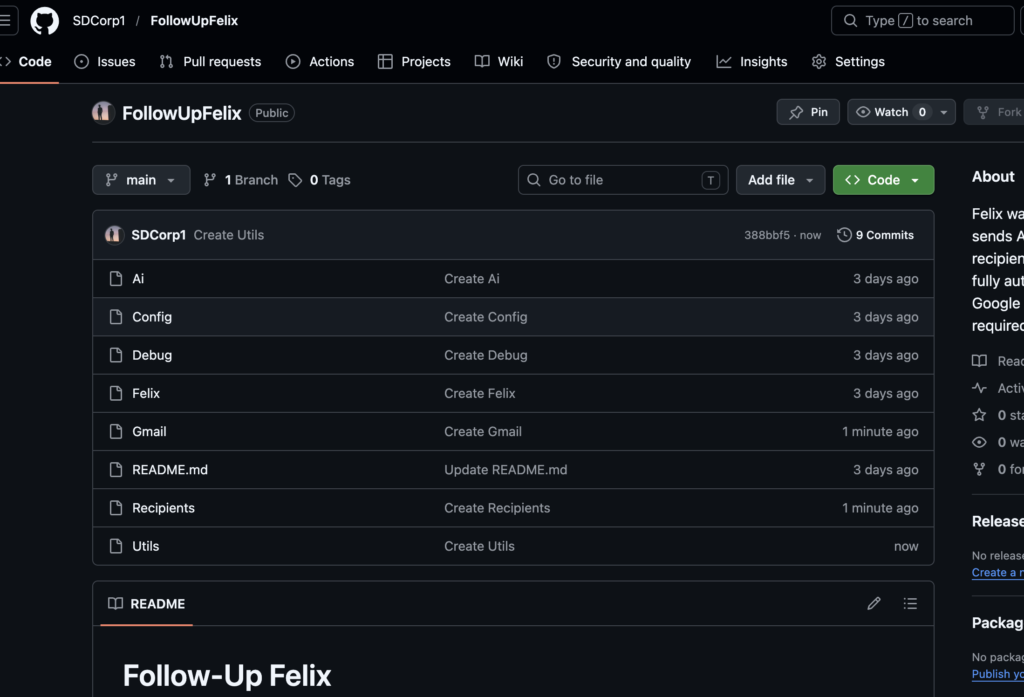
Create the three Gmail labels — -Snoozed-AI-FollowUp, FollowedUp-1, and FollowedUp-2. Go to script.google.com, create a new project, and create one file for each of the source files in the repository. Under Services, enable the Gmail API — this is required for Gmail.Users.Messages.send, which handles the threading correctly. In Project Settings → Script Properties, add your AI API key. In config.js, set AI_PROVIDER to whichever service you’re using, set AI_MODEL to the appropriate model string, and add your internal email addresses and domain so Felix knows which senders count as you versus external. Finally, set a time-based trigger on main() — every two to four hours is a sensible default.
Once that’s done, the usage pattern is: find any outbound thread you want to watch, apply the -Snoozed-AI-FollowUp label, snooze it for however long you want before the first check-in. Felix handles everything after that.
What I’d Do Differently
Name extraction could be simpler. Rather than inferring the recipient’s name from thread history, a better approach would be to store it when you apply the watch label either via a sidebar or a naming convention in the label itself. The current approach works, but it’s more code than the problem warrants.
A logging sheet would be a useful addition. Right now you have to open the Apps Script execution log to see what Felix has done. A Google Sheet that records each follow-up — thread, recipient, stage, timestamp — would make the whole system more auditable and easier to hand to someone else.
And as noted above: build the debug tooling first. Always.
The Broader Point
This took weeks to build and go through multiple iterations and because we could use it. I am not a software developer in any formal sense, my background is in accounting and economics, and I came to programming through automation work. The reason this was possible in a weekend is not that the problem was simple, it wasn’t but that AI as a coding partner has compressed the iteration cycle dramatically. You describe the system, watch it fail, explain the failure, and iterate. The debugging conversations were as useful as the initial generation.
There are repetitive workflows sitting inside Gmail, Sheets, and Docs for most people doing knowledge work. Google Apps Script plus an AI API is a surprisingly capable stack for automating them, free to run, native to the tools you already use, and requiring no infrastructure beyond a Google account. Felix is one example of what that looks like in practice.
The code is open source. Fork it, break it, make it yours.