

Aleph Color Tool
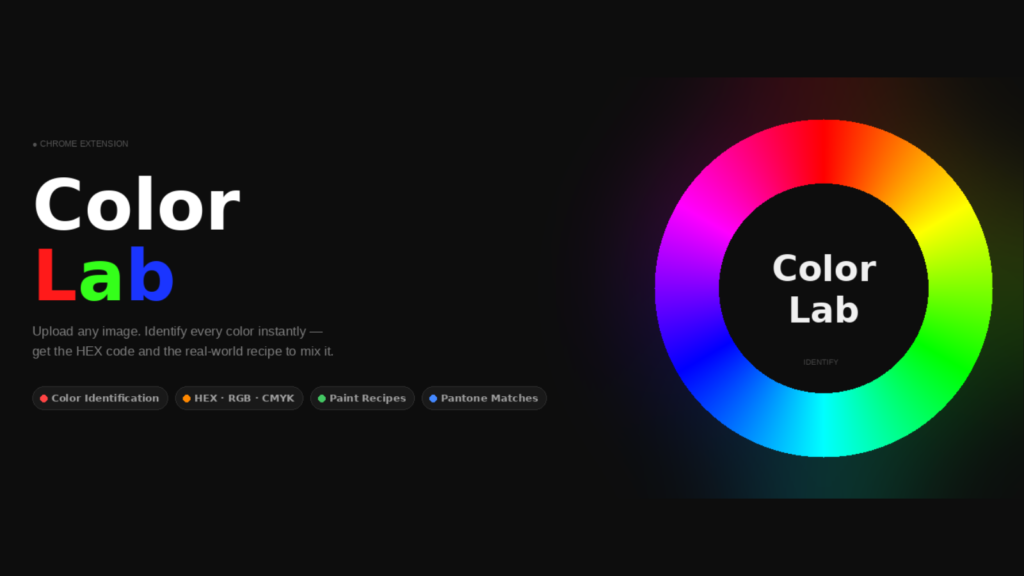
Meet Color Lab
From a Colour You Love to a Recipe You Can Mix
Color Lab is Aleph Creative’s new colour companion, a tool that identifies any colour from an image or your screen, then tells you exactly how to mix it in real paint. It lives both on our website and as a Chrome extension, and in this piece we will walk through what it does, how it works, and why it might just become the most-used tab in your browser.
- For full screen version Click Here
- For Chrome extension Click Here
Ask any designer and they will tell you about at least one colour they once fell in love with and could never quite reproduce. A shade of green in a photograph, the particular blue of a morning sky, the warmth of a wall at golden hour, we see these colours, we want them, and then we struggle to name them, let alone recreate them. Color Lab was built precisely for that moment of longing. It takes a colour you can see but cannot quite pin down, and it hands you both its identity and its formula.
Let us go through it together.
What Is Color Lab?
Color Lab is, at its heart, two tools in one.
The first half is a colour identifier. You give it an image, a photograph, a screenshot, a piece of artwork and it reads the colours within it. The second half, and the part we are most proud of, is a real-paint mixing engine. Once you have a colour, Color Lab tells you which paints to combine, and in what proportion, to achieve that very shade in the physical world.
It is available in two places. There is the web app, embedded right here on AlephCreative.com, which needs nothing more than a browser. And there is the Chrome extension, which adds one rather magical ability that the website alone cannot offer but more on that shortly.
Identifying a Colour
There are three ways to find your colour, and each suits a different moment.
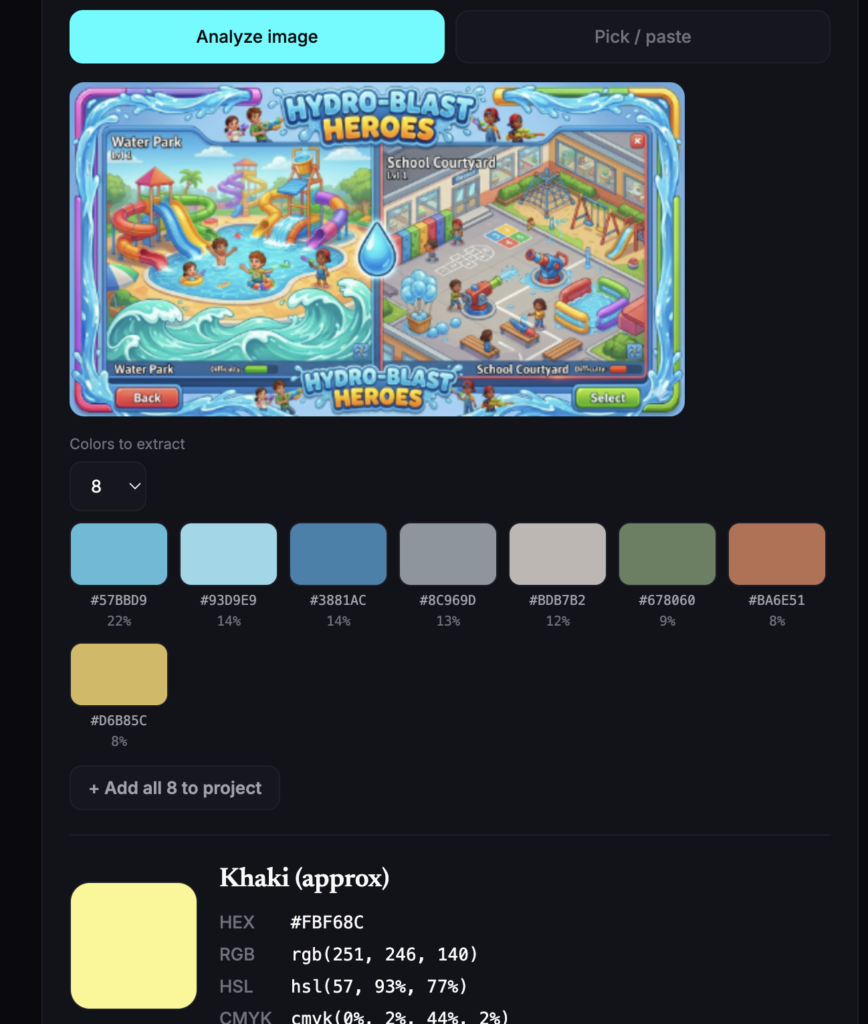
1. Analyse an image. Upload or drag in a photo, and Color Lab extracts its dominant palette for you, anywhere from four to sixteen colours and tells you the percentage of the image each one occupies. This is wonderfully useful when you want to understand whyan image feels the way it does. For instance, a photograph that reads as “calm” will often reveal itself to be seventy per cent soft, desaturated blues; Color Lab makes that visible at a glance.
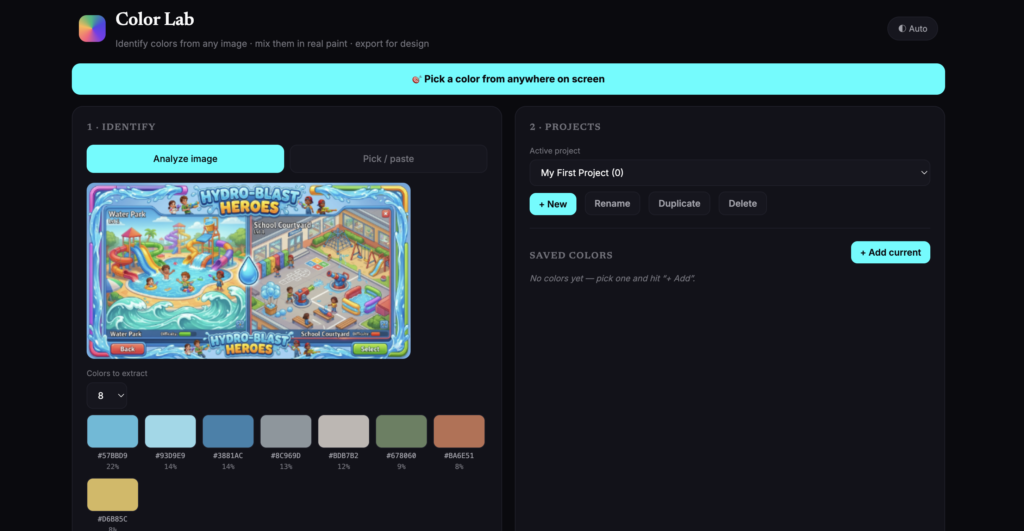
2. Pick a single point. If you only want one specific colour, simply click that spot on the image, and Color Lab samples the exact pixel.
3. Paste or pick directly. Already know your HEX code? Type it in, or use the colour picker.
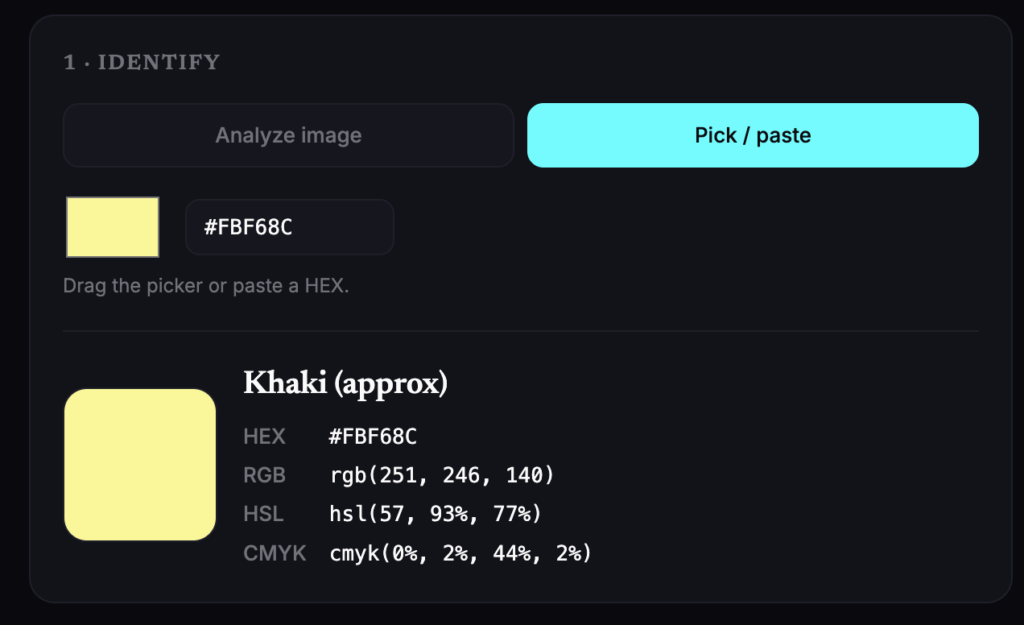
Whichever route you take, you receive the colour in every format a designer actually uses — HEX, RGB, HSL and CMYK— along with its nearest colour name. A click copies any value to your clipboard.
The Eyedropper: The Extension’s Quiet Superpower
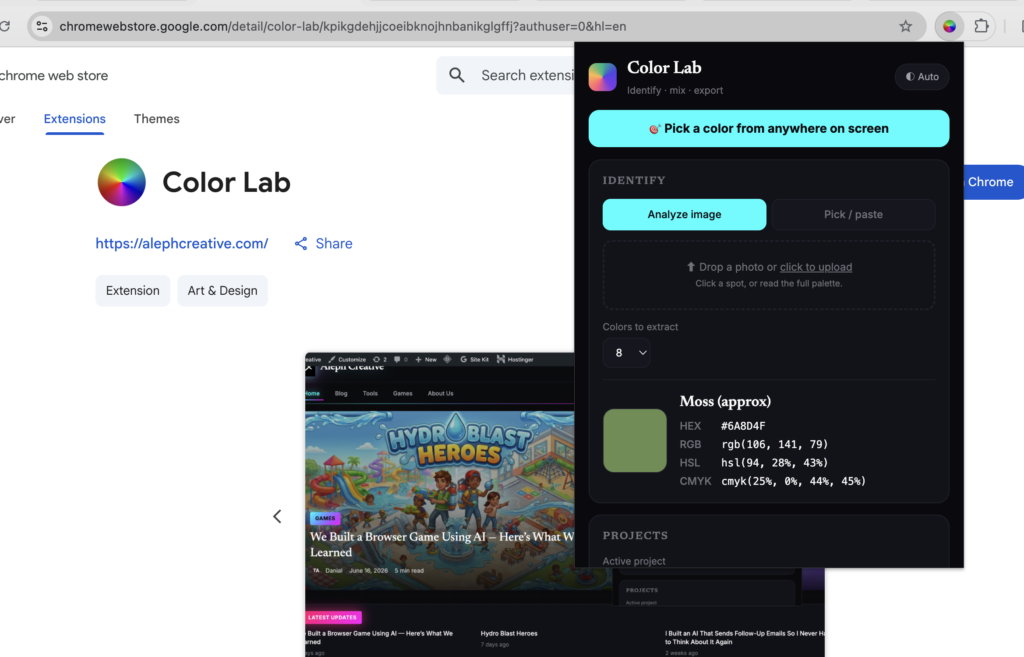
This is the feature worth installing the extension for. With the Chrome extension, Color Lab can borrow your browser’s native eyedropper to sample a colour from anywhere on your screen, any website, any image, even a video frame paused mid-scene. You are no longer limited to files you have uploaded; the whole of your screen becomes your palette. For a working designer, this is the difference between a tool you visit and a tool you reach for instinctively, several times a day.
Mixing It For Real
Here is where Color Lab does something most colour tools do not even attempt.
Screens and paint do not behave the same way. A screen adds light. Red, green and blue lamps glowing together. Paint subtracts it, with pigments absorbing certain wavelengths and reflecting the rest. This, therefore, means that you cannot simply average two colours together and expect real paint to obey; mix digital blue and yellow as light and you get grey, but as pigment you get green. It is a genuinely tricky problem, and it is the reason so few tools bother.
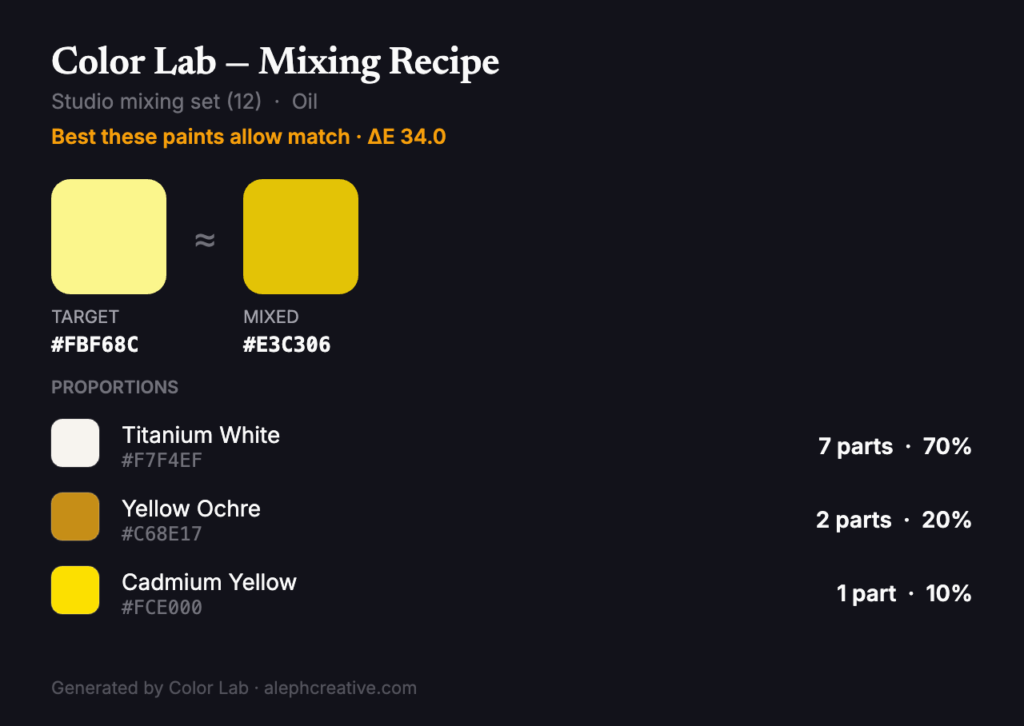
Color Lab handles it using a model rooted in Kubelka–Munk theory, the same body of colour science the paint industry itself relies upon to predict how pigments behave when blended. You choose your paint set(we include several real-world ranges) and your medium such as oil, acrylic, gouache, watercolour, soft pastel or crayon and Color Lab returns a recipe: which paints, how many parts of each, and a small preview of the mixed result against your target.
Crucially, it is honest with you. Every recipe carries a match score(a ΔE value, the standard measure of colour difference), so you always know whether you are looking at a near-perfect match or simply the closest those particular paints can manage. And because pastels and crayons are layered rather than stirred, the tool sensibly switches its guidance to a layering order for those mediums rather than pretending you can blend them in a pot.
Built For Designers Who Work In Projects
A colour is rarely used alone. Designers work in palettes, and palettes belong to projects, a brand here, a campaign there. Color Lab understands this.
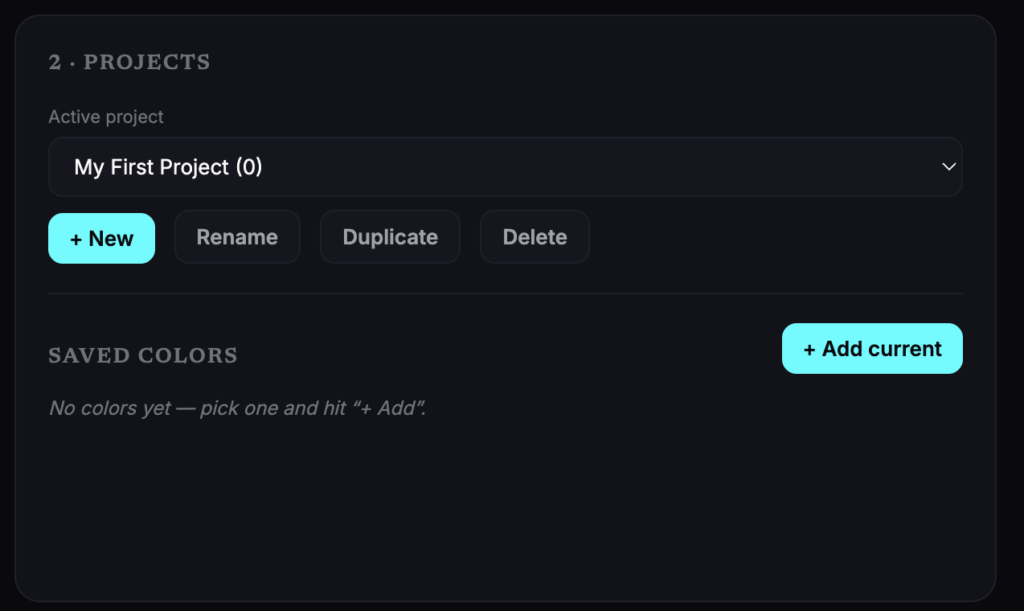
You can create multiple named projects, each holding its own saved colours, and switch between them freely. Every colour you save keeps its mixing recipe attached, so a palette is never just a row of swatches; it is a working document you can return to weeks later and still know exactly how each shade was made.
Alongside the core tools, we have added a few touches that earn their place:
- Colour schemes — generate complementary, analogous, triadic, tetradic, split-complementary or monochromatic harmonies from any colour, in the spirit of the classic colour wheel that artists from Newton onwards have leaned upon.
- Tints, shades and tones — a ready-made scale of lighter, darker and muted variations.
- A WCAG contrast checker — because a beautiful colour that fails accessibility is not, in the end, a usable one. Color Lab tells you instantly whether your text will pass AA and AAA standards.
Taking Your Colours With You
A palette is only as good as your ability to use it elsewhere, and so Color Lab exports in nearly every format a designer might need: JSON, CSS variables, SCSS, a Tailwind config, SVG swatches, GIMP/Inkscape .gpl, Adobe .ase, and plain text.You can export the colours alone, or the colours together with their full mixing recipes. Each recipe can also be saved as a tidy printable card, copied as text, or shared straight to social media.
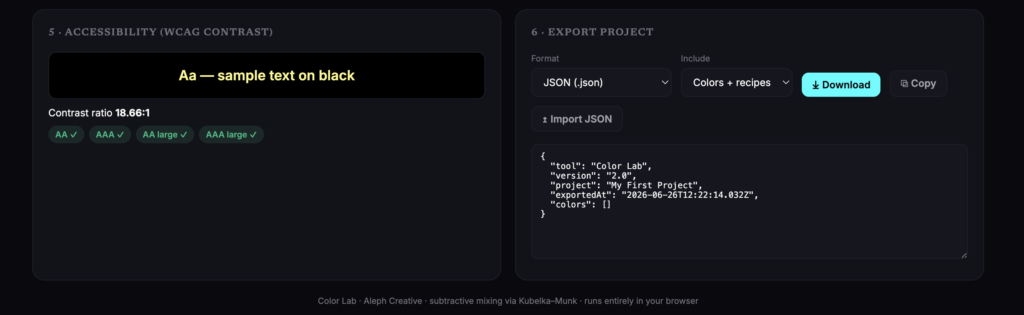
And should you ever need to move a project between machines, you simply export it as JSON and import it again on the other side.
A Word On What It Is And Is Not
In the interest of being measured, two honest notes. The paint colours in our sets are very close digital approximations of real ranges rather than laboratory-measured pigments, so the recipes are best treated as an excellent starting point that you then adjust by eye, which is, in truth, how experienced mixers work anyway. And you will not find Pantone here, as those libraries are licensed.
Within those bounds, however, Color Lab does something rather lovely: it closes the gap between the colour you admire and the colour you can hold. It runs entirely in your browser, it saves your work as you go, and it asks nothing of you but curiosity.
So the next time a colour stops you in your tracks, you will know exactly what to do with it. Open Color Lab, point it at the shade you love, and let it tell you how to make it your own.
Color Lab is live now on AlephCreative.com, with the Chrome extension available for one-click colour-picking across the web. Go and find a colour worth keeping.